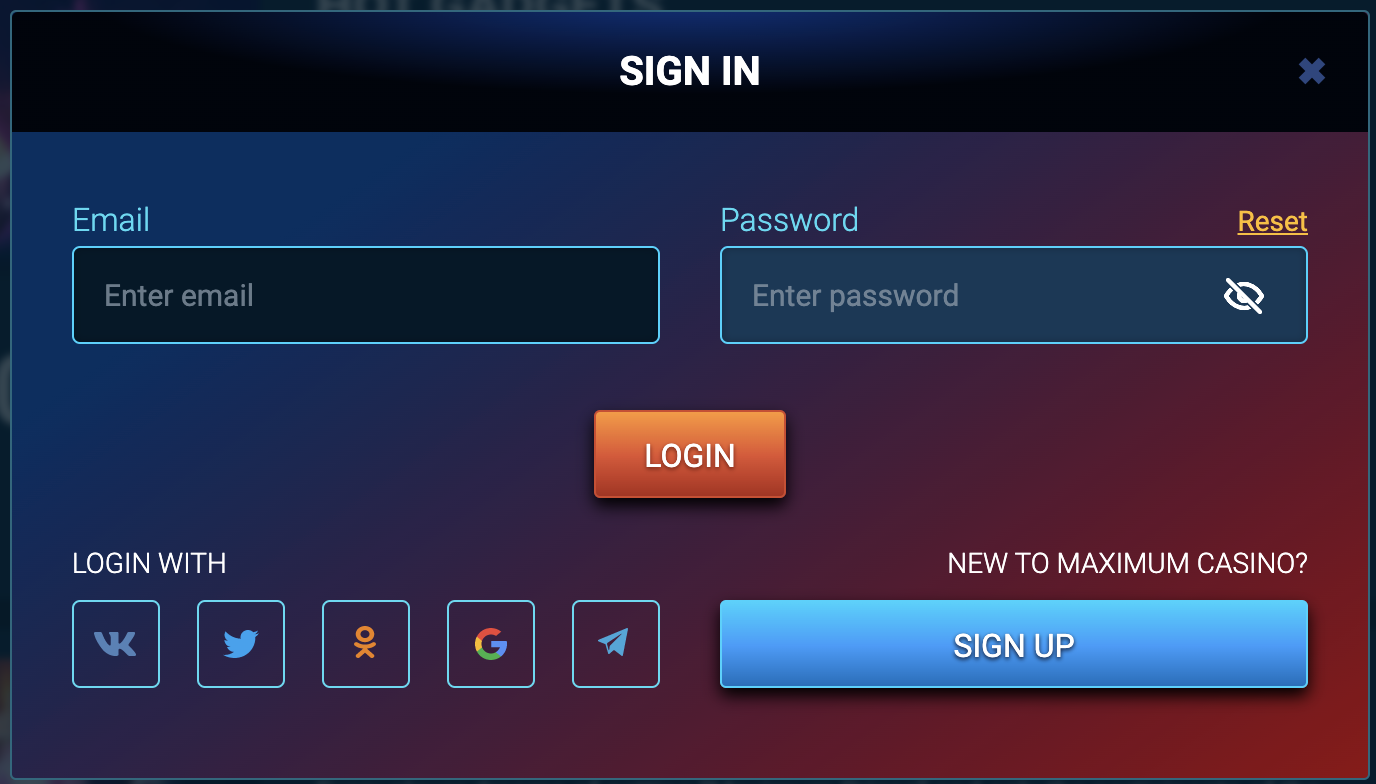
At Royal Game Casino, you can open an account quickly with our fast-track registration. We bypass the extra steps, but we never skip the checks. You’ll still be required to provide accurate details and authenticate your identity before you gain full access—those steps protect your account and maintain our compliance. This guide guides you through signing up, the documents we require, logging in, recovering your password, and the security settings that secure your account.
The way Fast Track Registration Works at Royal Game Casino
Fast-track registration is a shorter way to open an account, not a way around identity checks. We ask for the fundamentals: your name, email, password, and the currency you want to use. After you provide those, you can log in and look around while we verify your details. Deposits, withdrawals, and bonuses won’t be available until the checks are done.
We built the flow to reduce re-typing the same things, but you still need to enter details that match your payment methods and ID. If the name on your account doesn’t match your card, bank, or e-wallet, verification will halt. Before you start, grab your legal name, current address, date of birth, and an email address you can check right away. Having those ready is why fast-track sign-up appears faster than a long form.
The fast-track idea also means the first screen only asks for what’s necessary. Optional stuff like your phone number, marketing preferences, or extra security settings can be added later. We suggest filling those in soon—a verified phone and a strong password make it easier to recover your account and keep it safe when you need help.
Logging In, Remaining Logged In, and Restoring Access
To access your account, go to the official login page and provide the email and password you used during registration. If there’s a ‘remember me’ option, use it only on a secure device you control. We could ask for an verification code if the login seems suspicious—like from a different browser or location. That’s a security feature, not a mistake.
Lost your password? Press the recovery link and provide your account email. We’ll dispatch a reset message with a verification link that has an expiration. Use it on the same device if you are able to, select a new password you haven’t used elsewhere, and sign out of other sessions if the account area provides you that option. If the email doesn’t show up, check spam and verify the address is accurate.
Sessions can expire after you’re idle, follow the link, especially on smartphone or when switching networks. If you are repeatedly logged out, clear your browser cache, permit cookies for our domain, and refrain from opening multiple login tabs. A password manager can minimize typos and support you in keeping a unique password. If you skysports.com are unable to recover because you no longer have access to the registered email, get in touch with support and be prepared to prove your identity.
Password Protection and Two-Factor Authentication
A strong password is long, distinct, and not guessable from your personal info. We recommend a blend of uppercase and lowercase letters, digits, and signs, but size is more important than a short, complicated sequence. Never use your casino password on e-mail, social media, or bank accounts. If you use a password manager, maintain the casino entry in a locked vault and your master password elsewhere.

Two-factor authentication adds a extra layer after your password—usually a code from an authenticator app or a SMS to your phone. If 2FA is available in your account area, enable it before you make a deposit or make a withdrawal. Store any recovery codes offline if you receive them. If you change phones, refresh the 2FA method right away so you aren’t locked out when you attempt a withdrawal.
We’ll never ask for your password by e-mail, messaging, or call. A real support agent could ask you to validate account details or finalize verification, but they will not ask for your current password or a 2FA code. Be cautious of pressing messages that urge you to tap a login link. Enter the official URL into your browser and log in from there instead of clicking unexpected links.
Qualification and Registration Conditions Prior to Starting
Prior to registration, confirm you are old enough to participate in online casino games in your jurisdiction and that you’re not currently self-excluded or restricted on our site. Only one account per person. If you attempt to create another one, we may merge, limit, or close it. Employ your genuine identity and payment details—registering for someone else is not permitted and will result in problems if you attempt to cash out.
You must have an email address you can get into immediately—we dispatch confirmation and safety messages there. A phone number is useful for access warnings and two-factor authentication if you enable it. Furthermore, select what currency you want and what payment option you’ll use. If something’s not clear, review the registration page or ask support before pressing submit; fixing things after verification takes longer.
At times we’ll ask for more info—if your profile appears incomplete, your payment option is under another name, or domestic legislation mandates extra screening. This is standard and is not an indication your account is rejected. Send documents through the account area, rather than as email attachments, unless support supplies you with a secure upload link. Ensure your contact details remain updated so you don’t miss any verification inquiries.
Complete Sign-Up at the Registration Page
Begin on the login and registration page. Select the registration option and aim to finish the form in one go. The first stage is short, but review each field carefully—no nicknames or abbreviations. Use the exact name on your ID and payment method. Consistency cuts down on manual reviews later.
Here’s the order most new players stick to. Labels might differ a bit, but we collect the essentials first and verification details later. If a field doesn’t apply to you, keep it empty only if the form states you can.
- Navigate to the official login and registration page and pick the new-account option.
- Type your email, create a strong password, and re-enter it.
- Provide your legal name, date of birth, address, and the currency you prefer.
- Read the terms, privacy notice, and responsible-play info, then confirm.
- Send the form and check the confirmation email we dispatch.
- Sign in, fill out any profile details we ask for, and initiate verification if prompted.
After you send, look at your inbox and spam for the confirmation email. The link or code becomes invalid quickly, so request a new one if you skip it. Once your email is confirmed, log in and review your profile for typos. If the account area requires documents, submit clear colour images through the secure form—don’t send them as regular email attachments.
Arranging Your Primary Deposit and Payment Methods
Once validated, you can connect a payment option. We offer cards, bank transfers, e-wallets, and additional choices based on where you are. Choose the method you’ll use for both deposits and withdrawals—using the same one makes cashing out easier. Input the details accurately, and make sure the account holder name matches your profile. A discrepancy can block the transaction and cause a manual review.
Your first deposit might need a small test amount before we permit larger transfers through. We may also require a payment method screenshot, like we described in the KYC section. Once confirmed, deposits are usually prompt, though bank transfers can take longer. Check the cashier for minimum and maximum limits—they differ by method and currency. If a deposit doesn’t go through, don’t keep retrying; reach out to support to see if there’s a limitation.
We issue withdrawals back to the same option whenever we can. Before you request a payout, make sure your account is fully validated and you’ve met any bonus wagering requirements. We might request more documents if the amount is substantial or the method was added recently. Processing times differ: e-wallets are usually quickest, bank wires can take several business days. Maintain your payment details up to date to avoid setbacks.
Account Confirmation and KYC Documents We Ask For
Identity Check—often termed KYC—guarantees the person operating the account is the person listed on it. We’ll ask for documents before some payments, payouts, or bonus claims, and sometimes beforehand if a compliance check identifies an issue. The process safeguards you from identity fraud and enables us comply with anti-money-laundering rules. We do not consider verification as a formality; it’s part of keeping your account operating.
The specific documents vary by your profile, funding options, and what our checks pick up. Generally, we’ll request a official photo identification, a current address proof, and something that links a payment method to your name. We could also require a photo or a quick biometric check. Review your account area for the specific list—don’t guess.
Documents We Typically Examine
ID and Address Confirmation
For ID, a national passport, national ID card, or driving permit is acceptable if it’s current and shows your legal name, photo, and date of birth. For residence, we usually approve a service bill, bank statement, or official letter with your full name and present address. The document should be current, full, and not cropped. Screenshots might be rejected if they cut off important details.
Funding Source Verification
If you use a debit card, checking account, or digital wallet, we might ask for a record or screenshot showing the payment method, the cardholder’s name, and enough detail to verify your deposits. Only mask or erase sensitive numbers where the account area indicates it’s safe. We do not ask for your entire card number or banking login password—do not send those by electronic mail.
Responsible Play Tools Accessible at Registration
When you register and later on, we give you tools to manage your play. Set deposit maximums per day, week, or month right from your account area. They take effect immediately for new deposits and can’t be increased without a cooling-off period. We also provide session time reminders that appear after a set interval, so you understand how long you’ve been playing.
If you require a longer break, self-exclusion is an choice. You can select a period from a few months to permanent, and during that time your account will be closed and marketing messages will stop. Getting back in after self-exclusion means a formal request and a waiting period, so consider the length carefully. We also link to independent support organisations on our responsible gaming page, and our support team can walk you through the choices.
You can turn on reality checks to see a pop-up at set intervals showing your session time and recent activity. You can also set loss limits and wagering limits if those are available where you live. All limits are binding once you accept them, and we recommend you to examine them regularly. If you think your play is getting hard to handle, use the tools early—don’t hold off for a crisis.
Frequent Registration and Login Problems, and How We Resolve Them
Many registration problems are small mismatches, rather than big issues. An email could already be in use, a confirmation message may end up in spam, or a name may differ slightly from your ID. We fix these by reviewing the account area, using the recovery tools, and getting in touch with support with the exact error message. Don’t set up a second account to get around a problem—duplicates cause verification harder.
Below are the fixes for the most common issues. Try the step that fits your situation before reaching out to support—some problems clear up after reloading the browser or the email link. If it continues, tell us the time it happened, the device you used, and any error reference on the screen.
- Email already registered: utilize password recovery or reach support—don’t create a duplicate account.
- Confirmation email missing: examine spam, promotions, and blocked senders, then get a new one.
- Details rejected: check your entry with your ID and adjust spacing, accents, or name order.
- Password reset link expired: get a fresh link and activate it right away on a private connection.
- Account locked after failed logins: allow time for the temporary lock to clear or ask support to review the account.
Leave a Reply